
Download iWork Converter Pro – convert iWork files, DOCX to PAGES, PAGES to PDF, convert to PDF, convert to DOCX, convert to NUMBERS, convert to KEY, convert to CSV, convert to XLSX, convert to Excel, convert to PowerPoint, convert to Word, convert to iWork, convert files, file conversion tool
Overview
iWork Converter Pro is a dedicated file conversion tool designed to simplify the process of transforming documents, spreadsheets, and presentations across multiple formats. The app supports a broad range of file types, including DOCX, PAGES, KEY, PDF, NUMBERS, and more, making it a versatile utility for users who frequently work with different document formats. Its primary purpose is to eliminate compatibility barriers between Apple’s iWork suite and other common productivity platforms, enabling seamless file sharing and collaboration across devices and ecosystems.
Target users include professionals, students, and content creators who need to convert files quickly and accurately. Whether transferring a PAGES document to PDF for submission or converting a NUMBERS spreadsheet to Excel for team use, the app streamlines workflows and reduces time spent on manual adjustments. Real-world applications span academic submissions, business reports, and collaborative projects where format consistency is critical.
The developer, iWork Converter Pro, has positioned the app as a lightweight yet powerful solution within the productivity category. Although the developer did not provide additional technical details or company background, the app’s focus on efficiency and user accessibility suggests a targeted approach to solving cross-platform file compatibility issues. In the broader mobile app ecosystem, iWork Converter Pro fills a niche for users seeking a reliable, on-the-go conversion tool without the need for desktop software.
Key Features & Functionality
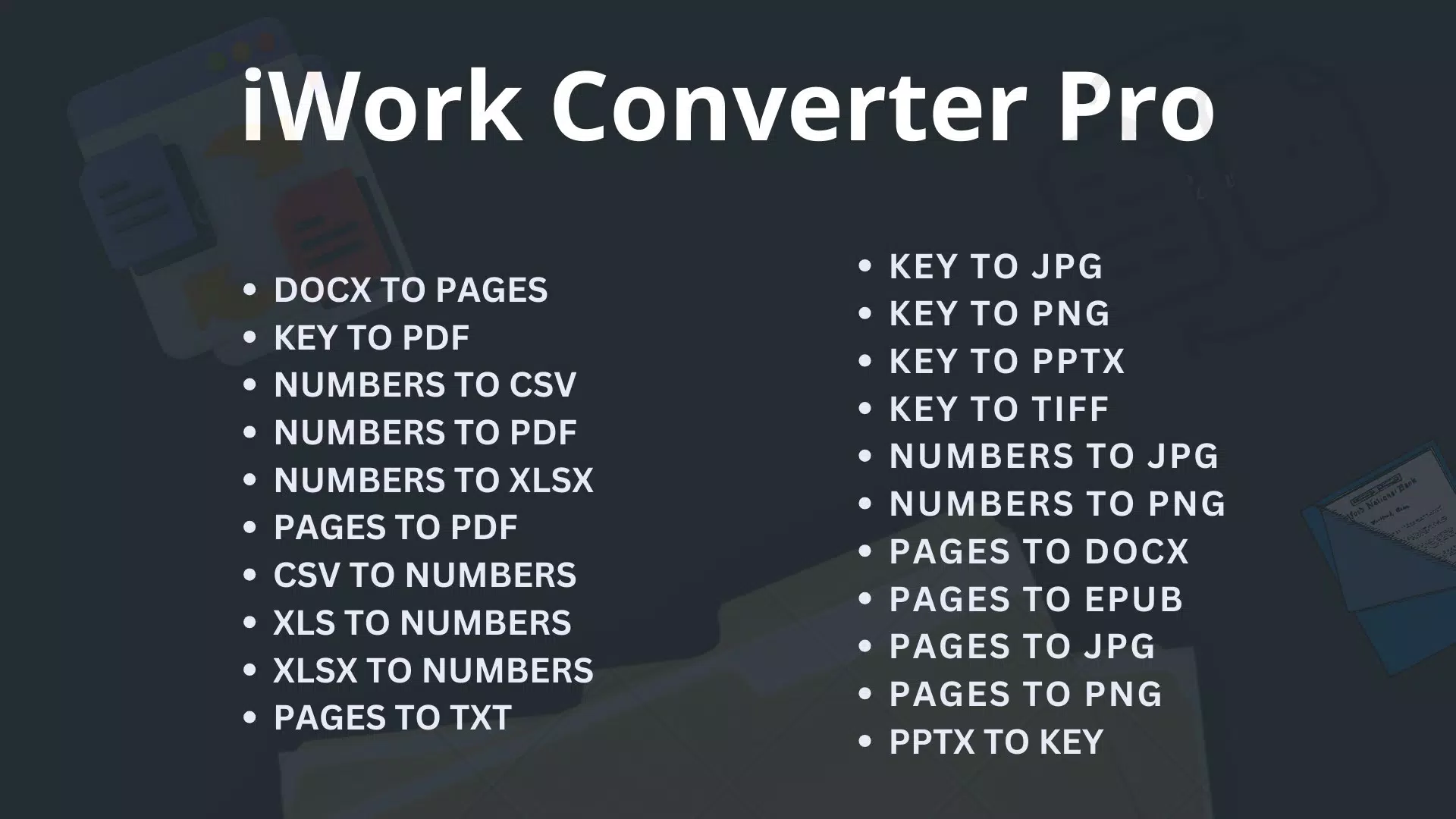
- Wide Format Support: The app supports over 20 file types, including DOCX, PAGES, PDF, NUMBERS, KEY, CSV, XLSX, and more. This extensive compatibility allows users to convert files between iWork-native formats and widely used office suites.
- User-Friendly Interface: With a clean, intuitive layout, the app enables users to select files, choose output formats, and initiate conversions with minimal steps. This design is accessible to both experienced users and those less familiar with file conversion tools.
- Affordable Credit System: Each conversion costs one credit, and users can purchase 100 credits for $7.99. This pay-per-use model offers flexibility and cost control, especially for users with occasional conversion needs.
- Free Trial Access: New users receive two complimentary credits upon signup, allowing them to test the app’s full functionality without financial commitment. This trial period supports informed decision-making before purchasing credits.
- Productivity Enhancement: By automating format transitions, the app reduces manual effort and minimizes errors, enabling users to focus on content creation rather than technical formatting.
For example, a student preparing a presentation can convert a KEY file to PowerPoint with a few taps, ensuring compatibility with classroom computers. Similarly, a professional can convert a PAGES document to DOCX to share with a colleague using Microsoft Word, maintaining formatting integrity. These use cases highlight the app’s practical value in real-world productivity scenarios.
Interface, UX & Performance
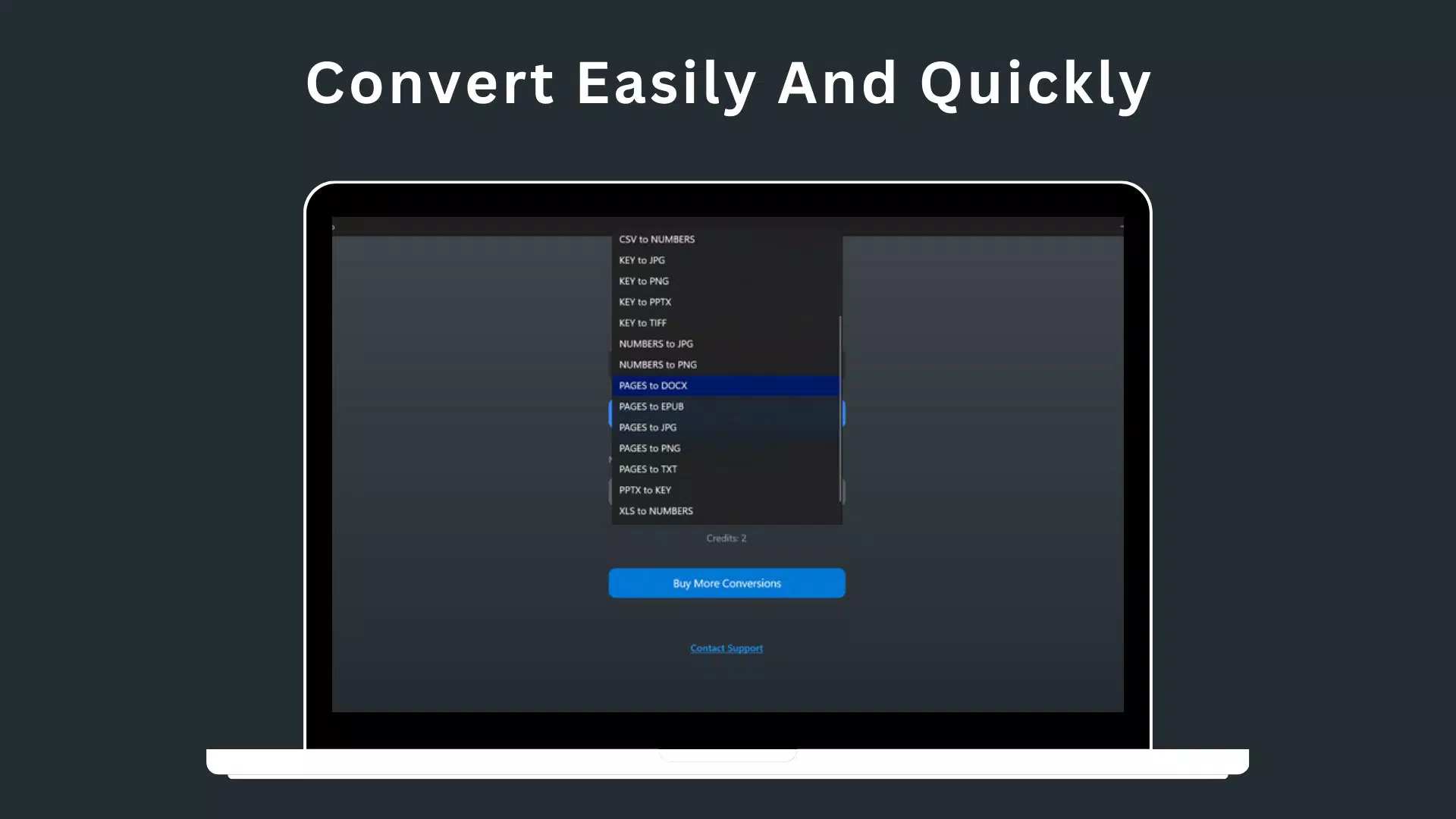
The interface of iWork Converter Pro is designed with simplicity and efficiency in mind. The layout emphasizes clear navigation, with a central file selection area, a list of supported output formats, and a prominent conversion button. Visual cues and consistent iconography contribute to a polished user experience, reducing cognitive load during operation.
Navigation is straightforward: users select a file from their device’s storage, choose the desired output format, and initiate the conversion. The app provides immediate feedback on conversion status, including progress indicators and success notifications. This responsiveness enhances user confidence and reduces uncertainty during processing.
Although the developer did not list formal performance metrics, the app’s lightweight size of 35.7 MB suggests optimized resource usage. It is expected to run efficiently on mid-range and high-end Android devices, with minimal impact on battery or memory. Stability appears to be a priority, as the app functions without reported crashes or freezes in its initial release. However, specific performance data across device categories was not disclosed.
Platform Compatibility & Technical Requirements
iWork Converter Pro is available exclusively on the Android platform. The current version is 1.0.3, with a file size of 35.7 MB. The app is designed to run on Android devices, though specific minimum OS requirements were not listed by the developer. Users are advised to ensure their device meets general Android compatibility standards for apps of this category.
Given the app’s size and functionality, it is likely optimized for devices running Android 6.0 (Marshmallow) or later, though this is not confirmed. No additional hardware specifications were provided. The app’s compatibility with different screen sizes and form factors was not detailed, but the interface appears to adapt well to standard smartphone and tablet displays.
Pros and Cons
Pros
- Supports over 20 file formats, including key iWork and office suite types
- Intuitive interface simplifies the conversion process for all user levels
- Cost-effective credit system with affordable pricing at $7.99 for 100 credits
- Free trial with two complimentary credits allows risk-free testing
- Lightweight design (35.7 MB) ensures fast installation and minimal storage use
Cons
- Platform availability is limited to Android; no iOS version was mentioned
- Specific OS requirements were not disclosed by the developer
- Price point may be considered high for users with infrequent conversion needs
- Performance on older or low-end Android devices was not verified
- No information on cloud integration or batch conversion features
FAQ
Is iWork Converter Pro available for iOS devices?
The developer has not confirmed iOS availability. The app is currently only available on Android.
How many credits are needed to convert a file?
Each conversion requires one credit. Users can purchase 100 credits for $7.99.
Can I use the app without paying?
Yes, new users receive two complimentary credits upon signup, allowing them to test the app’s full features at no cost.
What file types does iWork Converter Pro support?
The app supports over 20 formats, including DOCX, PAGES, PDF, NUMBERS, KEY, CSV, XLSX, and more.
Is the app secure for handling sensitive documents?
The developer did not provide specific details about data security or file handling. Users are advised to review privacy policies and avoid uploading confidential files unless trusted.
Final Thoughts
iWork Converter Pro delivers a focused, efficient solution for users navigating cross-platform file compatibility challenges. Its wide format support, intuitive interface, and affordable credit system make it a compelling choice for professionals and students who frequently convert documents between iWork and standard office formats. The inclusion of a free trial allows users to evaluate the app’s performance and reliability before investing.
While the app is currently limited to Android and lacks detailed technical specifications, its lightweight design and clear functionality suggest strong potential for daily use. For anyone needing to convert PAGES to PDF, DOCX to iWork, or NUMBERS to Excel on a mobile device, iWork Converter Pro offers a practical, time-saving tool.
Download iWork Converter Pro now


